VA disability claim prep
for iPhone
Built by a retired
Army Chief Warrant Officer
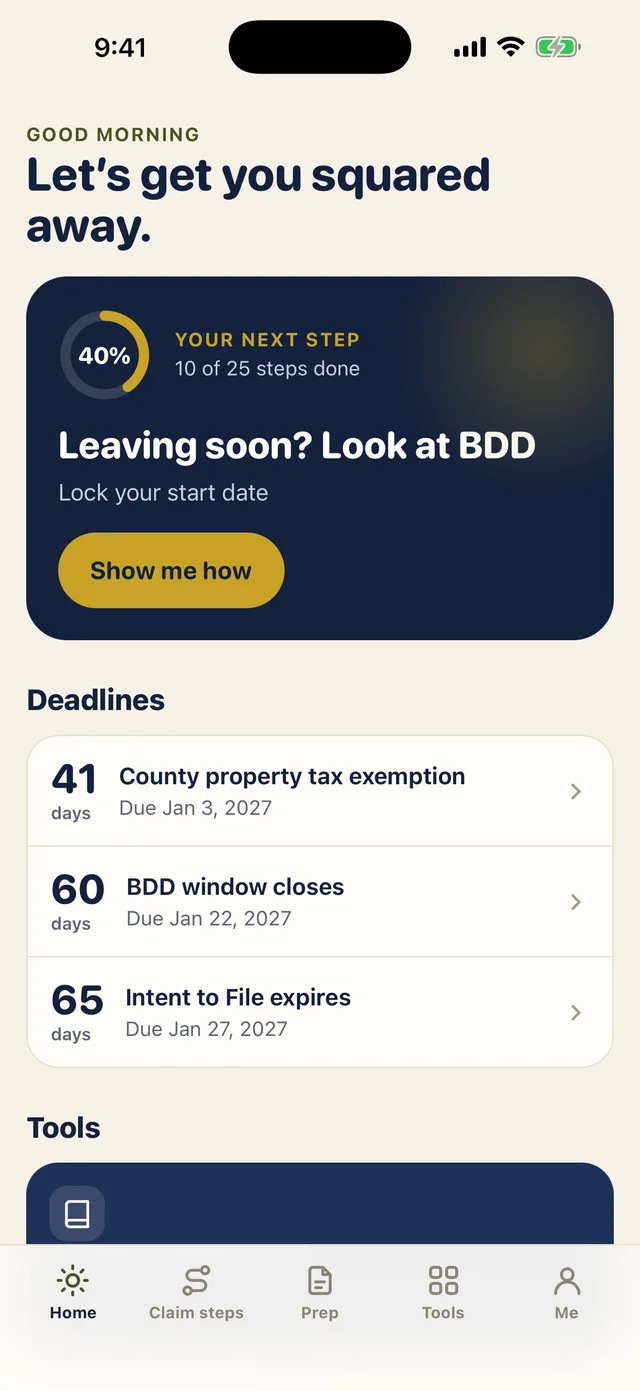
Squared Away home screen showing the next claim step and countdowns to upcoming VA deadlines

Know your VA claim before you file.

Rating math, C&P exam prep, every deadline and statements in your own words. Plain English, one step at a time, from someone who's been through it.

Download on the App Store
Teaches, never files No cut of your back pay Stays on your phone
The first thing nobody tells you

50% plus 30% isn't 80%.

  1. Your first rating: 50%. That leaves you 50% "whole."
  2. Your next rating: 30%. VA takes 30% of what's left. 30% of 50 is 15.
  3. 50 + 15 = 65. Not 80. That's VA's combined ratings table.
  4. Then it rounds to the nearest 10. You're rated 70%.

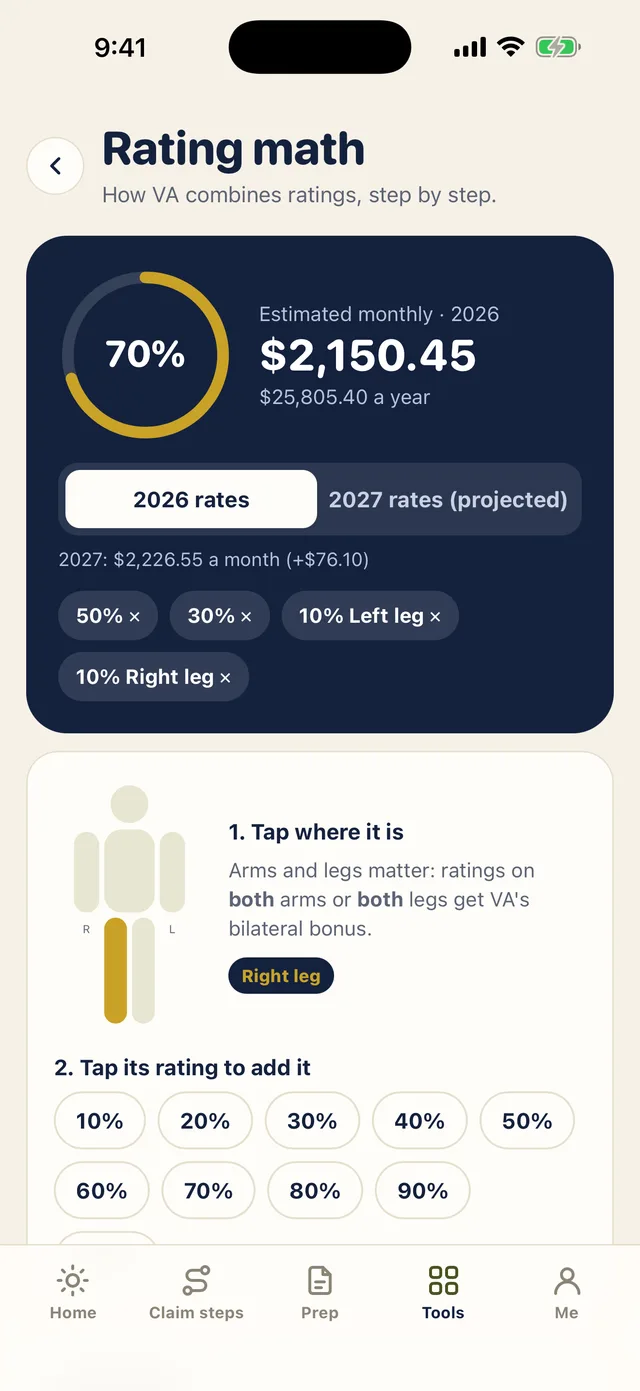
Squared Away does this for every condition you add, bilateral factor included, and shows your estimated monthly pay. VA decides every rating.

50%
Your first rating
What it does

The whole claim, one step at a time.

The VA process is a rulebook nobody hands you. Squared Away puts it in plain English, in order, with every rule linked back to VA.gov or the eCFR.

01 · Rating math

See how VA adds it up.

Tap in your conditions and watch the combined ratings table work, step by step, with your estimated monthly pay and dependents.

  • Current year's rates, and next year's when VA posts them
  • Presumptive check: Agent Orange, burn pits and the PACT Act, Gulf War, Camp Lejeune, radiation
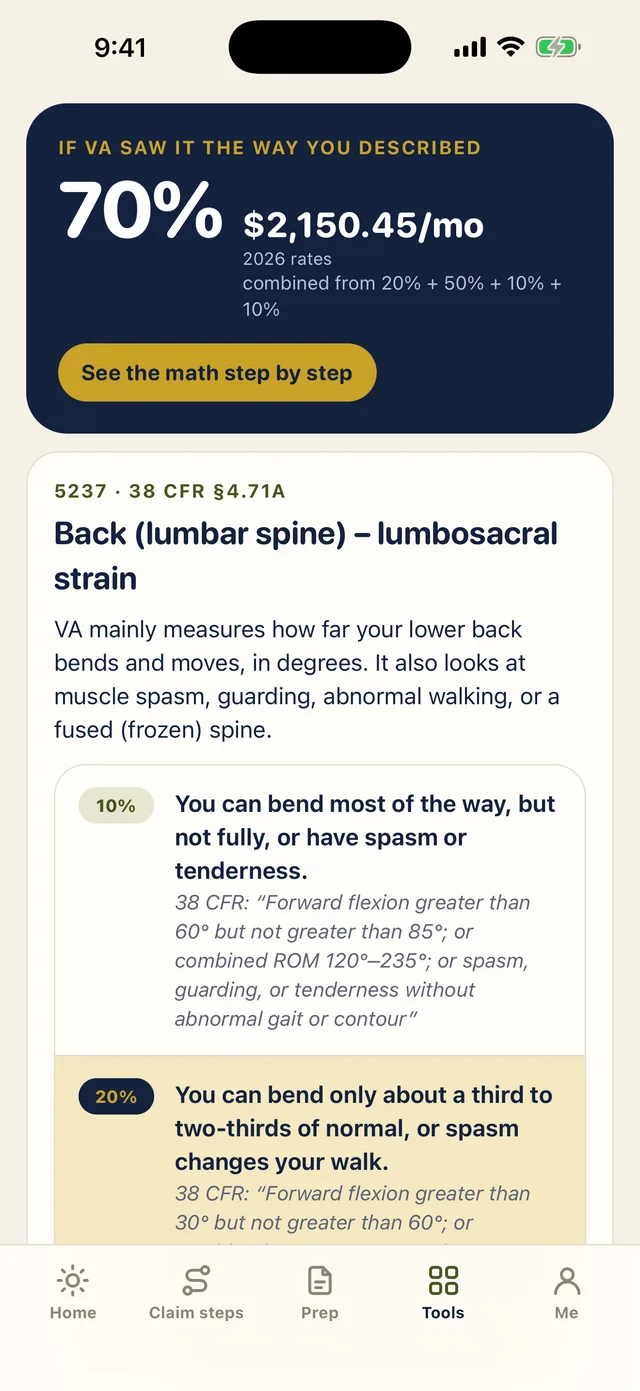
Rating math screen combining ratings into 70 percent with an estimated monthly payment
02 · AI rating breakdownPRO

Your words, next to the rule.

Describe a condition the way you'd tell a buddy. The coach pulls the current rule from 38 CFR Part 4, explains every level in plain English and shows which one your description sits closest to.

  • Ask the coach any claim question
  • An estimate to learn from. VA decides every rating.
AI rating breakdown for a back condition showing each rating level and the one closest to what was described
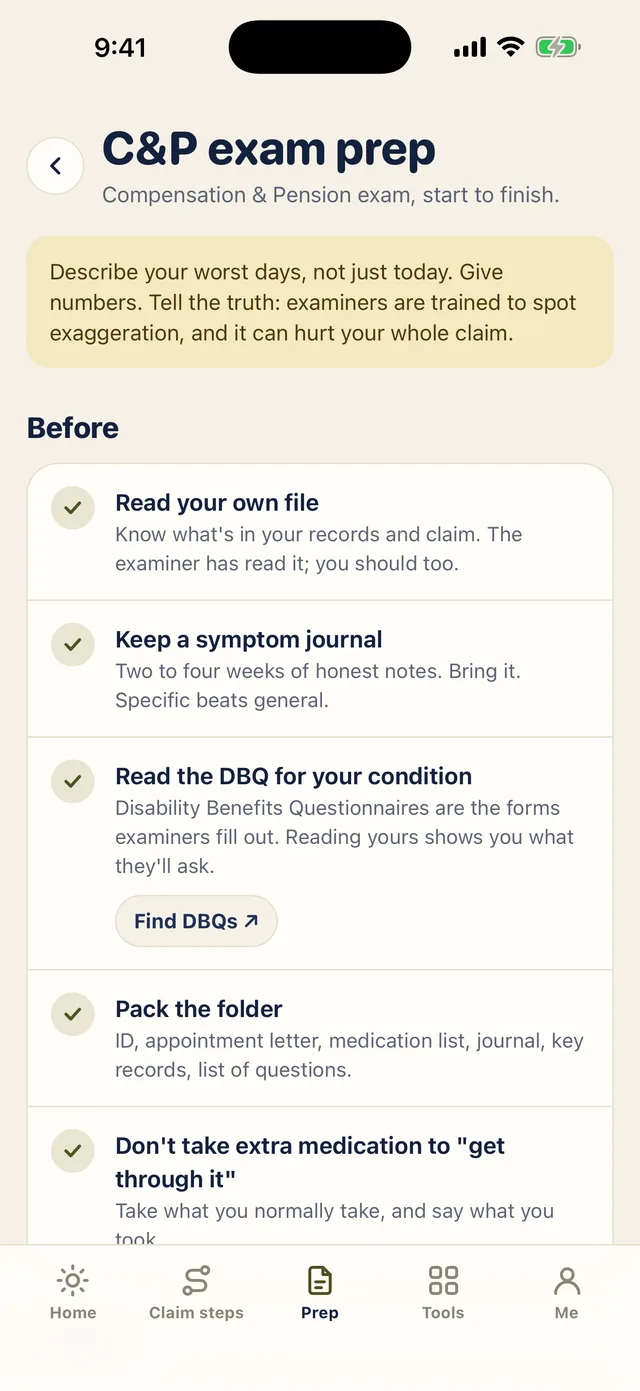
03 · C&P exam prepPRO

Walk in ready.

The exam is where claims are won or lost. Learn how to describe your worst days, how often and how bad, with practice answers and a symptom journal you can share.

  • Read the DBQ the examiner will fill in
  • Tell the truth. Exaggeration hurts the whole claim.
C&P exam prep checklist: read your own file, keep a symptom journal, read the DBQ, pack the folder
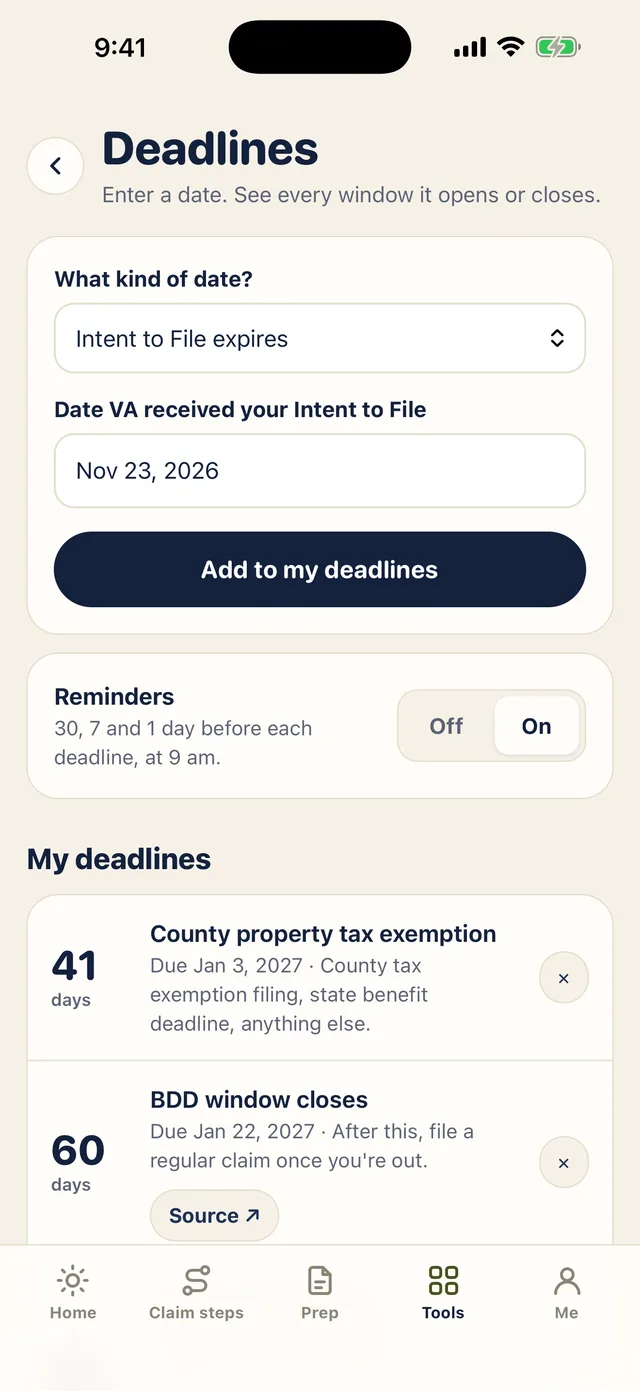
04 · Deadlines

Never miss a window.

Enter your separation date, Intent to File or decision date and see every window it opens or closes. Pro adds reminders 30, 7 and 1 day before each one.

Deadlines screen counting down to a property tax exemption, the BDD window and an Intent to File expiry
05 · StatementsPRO

Your story, in your words.

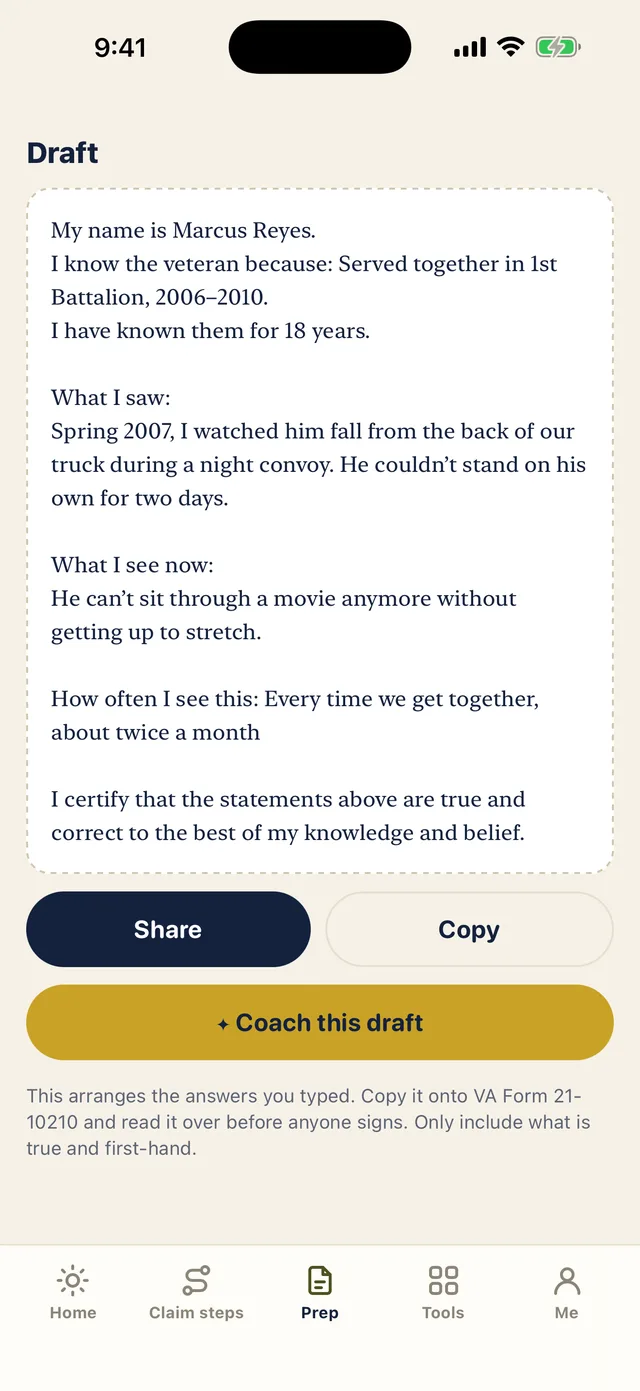
Answer simple questions and the builder lays out your personal statement (VA Form 21-4138) or a buddy statement (21-10210). It only uses what you typed. It never writes symptoms for you.

A buddy statement draft written in first person from the answers typed into the app
The rules it lives by

Honest by design.

01

It teaches. You file.

Squared Away never files, prepares or presents a claim. File on VA.gov yourself, or with an accredited Veterans Service Officer, who helps for free.

02

No cut of your pay.

No fees tied to your rating or back pay, ever. The core tools cost nothing. Pro is a flat price.

03

Your data stays put.

No account, no ads, no tracking. Everything lives on your phone. Text you send to the AI coach isn't stored and isn't used to train AI.

Who built it
Twenty years in. Then the claim. So I built the guide I wanted.

Squared Away was built by a retired U.S. Army Chief Warrant Officer who went through the VA claim process and found the rules scattered across a dozen websites and a federal regulation.

So every screen answers one question, in plain words, and every rule links back to where it comes from. If something in the app looks wrong, email us and we'll fix it.

20years of service
0claims filed for you
$0taken from back pay
Pricing

Start with the basics. Add Pro when you're ready.

Core
$0
to download
  • Rating math and pay
  • Presumptive check
  • Rulebook
  • Deadlines
  • First four claim phases
Pro monthly
$9.99
per month
  • Everything in Core
  • AI rating breakdown and coach
  • C&P prep and journal
  • Statement builders
  • Deadline reminders
Pro yearly · best value
$49.99
per year
  • Everything in Pro
  • The full claim path, through the decision and review options
Pro lifetime
$99.99
once
  • Everything in Pro
  • Pay once, keep it

Prices in US dollars. Subscriptions renew automatically unless cancelled at least 24 hours before the period ends. Manage them in your Apple Account settings.

Questions

Straight answers.

Does Squared Away file my VA claim?

No. It teaches you how the claim works so you can file on VA.gov yourself or with an accredited Veterans Service Officer. It never files, prepares or presents a claim and never takes a cut of back pay.

Is it made by VA?

No. Squared Away is an independent educational tool. It is not affiliated with or endorsed by the U.S. Department of Veterans Affairs.

How does VA combine disability ratings?

VA doesn't add ratings. Each rating applies to the part of you that's still rated whole. A 50% rating leaves 50% whole; a 30% rating then takes 30% of that 50, which is 15, for 65%, which VA rounds to 70%. The app shows this step by step, bilateral factor included.

Where does my information go?

It stays on your phone. There is no account, no ads and no tracking. The only exception is text you choose to send to the AI coach, which isn't stored and isn't used to train AI. Read the privacy policy.

What does Pro cost?

The core tools cost nothing. Pro is $9.99 a month, $49.99 a year, or $99.99 once for life.

Who built it?

A retired U.S. Army Chief Warrant Officer with 20 years of service who has been through the claim process.
Support

Need a hand? Email us.

Questions, a bug, or something in the app that looks wrong? Email deploymarketingnwa@gmail.com. We read every message and usually answer within two business days.

PurchasesSubscriptions are managed in your Apple Account settings (Settings → your name → Subscriptions). To get Pro back on a new phone, open the app and tap You → Restore purchases.
Your dataEverything stays on your phone. We can't see or recover it. Share your journal and statements out of the app before deleting it.
PrivacyThe short version: nothing leaves your phone unless you use the AI coach. Read the privacy policy.